

Quarterly review
A focus cat for your Mac
Stay on task. Or get caught.
CATch is a menu bar cat that notices when you drift. Wander off to YouTube and Mochi steps in, then tucks it under a blanket until you’re back.
Free during beta · macOS 14+ · No screenshots, ever



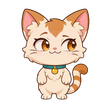




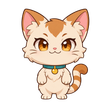
You’re writing the Q3 report. Mochi only checks which window is in front.
Sped up ~4× · the app waits 10 s, then 5 s per level
How it works
Body doubling, with whiskers.
Working alone makes drifting easy. A small companion who notices is often all it takes to stay put.
-
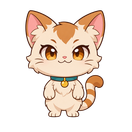
My whiskers say it’s time for the Q3 report.
Name the task
Click the cat in your menu bar (or press the shortcut), type what you’re working on and pick 25, 50 or 90 minutes.
-
I’ll guard the blanket. You handle the Q3 report.
Work. Mochi watches the door.
Mochi sits quietly in a corner and checks one thing: which app and window title is in front. Never what’s inside it.
-

Mrrp? A little wandering?
Drift, and get caught
Off-task for longer than the grace period? Mochi steps in, gets firmer each level, and the blanket comes out if you stay away.
The ladder
Gentle first. Then the blanket.
Come back at any point and it all resets, with a little “welcome back”. The interval between levels is yours to set, from 5 to 45 seconds.
-
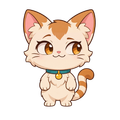
Level 1
After the grace period
A small panel and a look from the corner.
“My ears noticed.”
-

Level 2
+5 seconds
The panel grows. A firmer nudge.
“My paws are getting busy.”
-

Level 3
+10 seconds
Front and centre, background dimmed. Kneading begins.
“The blanket is nearly ready.”
-

Level 4
+15 seconds
A blanket covers the distraction and stays until you’re back. Mochi naps on it.
“A cozy blanket for YouTube. Back to the Q3 report?”
-

Level 5
Third catch in a session
No scolding. Mochi notices the pattern and suggests a real break.
“Even cats need a stretch. Take a break?”
Smart about what’s work
Catches drifting. Not research.
YouTube can be a tutorial and Slack can be a rabbit hole. CATch judges each switch against the task you named, from the cheapest check to the most careful one.
- 01
Your rules
Allow and block lists by app or title keyword, globally or just for this session. They always win.
- 02
A built-in catalog
Known apps and sites come pre-tagged as work, communication, entertainment, social or games. Entertainment, social and games count as off-task.
- 03
A quick AI check
Only for the genuinely unclear, like “Top 10 Excel tricks” on YouTube. Just the app name, title and your task are sent.
-
Grace period
10 seconds by default before anything happens, adjustable up to a minute. Brief glances at chat don’t count.
-
“This is work”
One click allows it for the session and teaches CATch for next time.
-
Meeting mode
Pauses automatically when Zoom, Meet, Teams or FaceTime is using your mic.
-
Text-only mode
In a shared space? Mochi can stay silent, with just a soft chime.
Privacy
Accountability you chose. Not bossware.
Mochi works for you, not your manager. Everything is judged on your Mac first, and your history stays on your Mac, with a button to delete it all.
What Mochi sees
- The name of the app in front, like “Safari” or “Figma”
- That window’s title, like “Q3 report: Pages”
- Whether you’ve been idle, only to pause the timer
- Whether your mic is in use by a meeting app, to stay quiet
What Mochi never sees
- Screenshots or anything inside your windows
- Keystrokes, your camera or exact URLs
- Titles that look sensitive: “password”, “bank”, “medical” are never sent anywhere
- Your employer, or anyone else. There is no team mode.

Why a cat works
Timers are easy to ignore. A friend isn’t.
Blockers feel like punishment and get switched off. CATch borrows two ideas about presence instead, wrapped in a cat you don’t want to disappoint.
Being noticed
The Hawthorne effect
People tend to behave differently when they know someone is paying attention. A 2014 systematic review found evidence that being observed changes behaviour, while noting that how much is still debated.
McCambridge, Witton & Elbourne, Journal of Clinical Epidemiology (2014) (opens in a new tab)
Not working alone
Body doubling
Working next to someone, even silently, is a popular focus strategy, especially in the ADHD community. Research is early: a 2025 study found people felt more focused with a partner present.
“You Are Not Alone”, arXiv preprint (2025) (opens in a new tab)
Session recap
See where the minutes actually went.
When time’s up, Mochi wraps up with a recap: focused time, catches, your longest streak and the top distractions. Share it with one click, or keep it to yourself on your Mac.

Mochi
“Purrfect focus on the Q3 report.”
Q3 report
Tuesday · 25 min session
23 min focused of 25
1Catch
17 minLongest streak
Top distractions
- YouTube1 min
- Slack40 s
CATch
Beta
Free while we’re in beta.
Join now and you get everything in the beta at no cost. A paid plan comes later for the extras below, and you’ll hear about it before anything changes.
In the beta
Free
- Mochi and the full escalation ladder
- Focus sessions from the menu bar or a shortcut
- Session recaps you can share
- Your allow and block lists
Coming with CATch Pro
Later
- New cats, each with their own move
- Personalised lines that know your task
- Full history and weekly trends
- Per-project profiles
Does CATch see my screen?
No. It reads only the name of the app in front and its window title, through macOS Accessibility. It never takes screenshots, so it doesn’t ask for Screen Recording permission.
What gets sent off my Mac?
Most switches are judged on your Mac with your rules and the built-in catalog. Only unclear titles are sent for a quick AI check: the app name, the window title and your task. Titles that look sensitive (passwords, banking, medical and similar) are never sent.
Can it tell which browser tab I’m on?
It sees the tab’s title through the window title, so “Top 10 cat videos: YouTube” is caught, and a tutorial you mark as work is remembered. Exact URLs are planned with a browser extension later.
What about meetings?
CATch pauses reactions automatically when Zoom, Meet, Teams or FaceTime is using your microphone or a meeting app is in front, and there’s a manual “In a meeting” switch too. Your timer keeps running.
I work in a shared office. Will Mochi talk out loud?
Only if you want. There’s a volume control and a text-only mode that keeps just a soft chime.
Can my employer see any of this?
No. There is no team or manager mode, nothing is reported to anyone, and your session history stays on your Mac, with one button to delete it all.
Which Macs are supported?
CATch needs macOS 14 Sonoma or later. Windows isn’t planned for the first release.
What does it cost?
It’s free during the beta. A paid Pro plan with extras like more cats and full history comes later, and beta members hear about it first.
What happens to my email?
We store it only to send your beta invite and launch news, never share it, and delete it if you ask at hello@catchfocus.app.

Mochi’s saving you a spot.
Join the beta and get CATch free on your Mac when invites go out. We’ll only email you about the beta and launch.